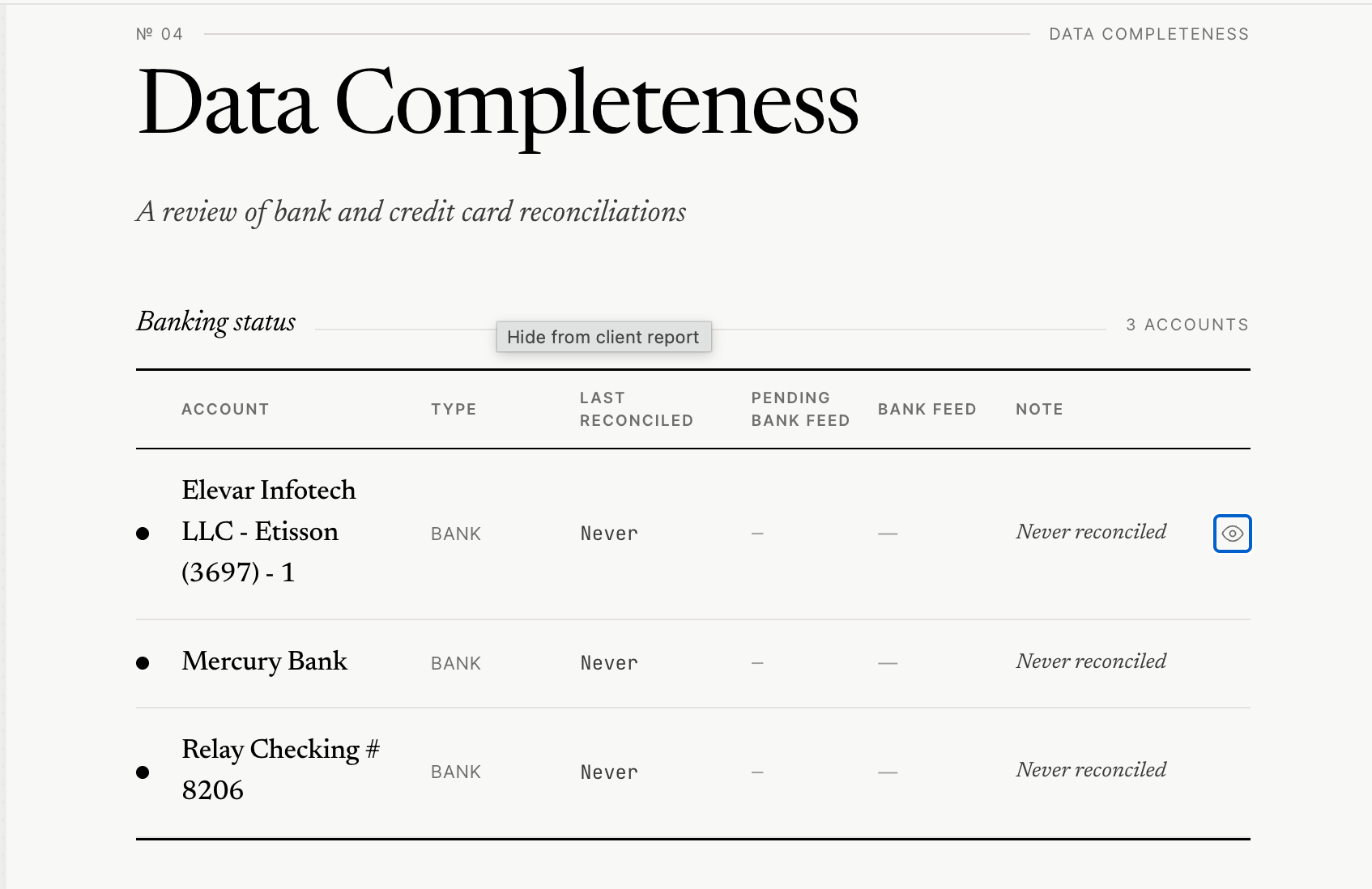
This page displays the status of your bank and credit card accounts' reconciliations.
In the Data Completeness section, Xenett Pulse displays the reconciliation status for your bank and credit card accounts.
If there are accounts that are no longer active or should not appear in the diagnostic report, you can hide them using the Eye icon.
How to Hide an Account
Click the Eye icon next to the account.
The account will be greyed out, indicating it is hidden.
Hidden accounts will:
Not appear in the Client Preview screen
Not be included in the exported diagnostic report
Be excluded from unreconciled transaction findings
How to Unhide an Account
Click the Eye icon again to make the account visible.
Impact on Unreconciled Transactions
The Unreconciled Review Findings section displays uncleared transactions for bank and credit card accounts.
If an account is hidden:
Transactions related to that account will also be hidden from the unreconciled findings section.
Important Requirement for Reconciliation Status & Bank Feed Data
The following information is only available when:
The Xenett Pulse browser extension is installed
You are logged into the respective QuickBooks Online file
This is required for:
Reconciliation status
Pending bank feed information
If any of these 2 requirements are not met, reconciliation status would show status as ‘never reconciled’ and bank feed data would show ‘-’.
Adding Notes for Prospects
You can also add notes in the Note column.
These notes are visible to your prospects in the diagnostic report and can be used to provide additional explanations or context.